 Tủ Xanh
See what to eat today without opening the fridge
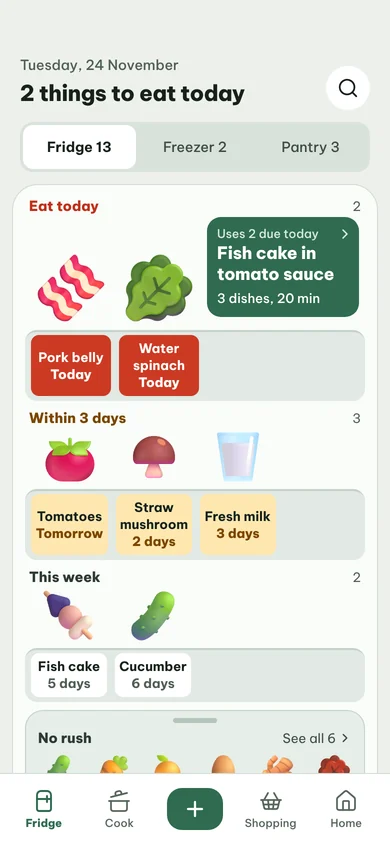
Tủ Xanh puts the food in your fridge on shelves by date. The top shelf is what to eat today, next to tonight’s meal made from it.
In Vietnamese, Korean and English
Put away what you bought in about a minute
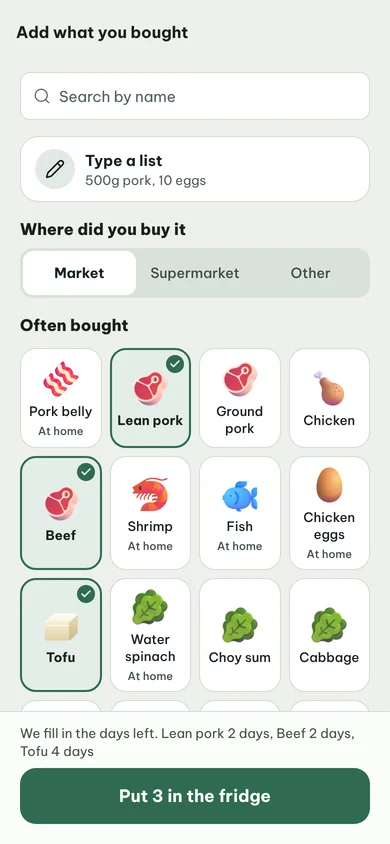
Tap the things you often buy, type a list like “500g pork, 10 eggs”, or take a photo of a receipt from Go!, Lotte or WinMart. The photo is read on your phone and is not uploaded.
You don’t type any dates. They fill in from the kind of food, where you bought it and where you keep it.
The fridge sorts itself, most urgent on the top shelf
Each item stands on a shelf by the days it has left: eat today, within 3 days, this week, no rush. The fridge, freezer and pantry each have their own shelves.
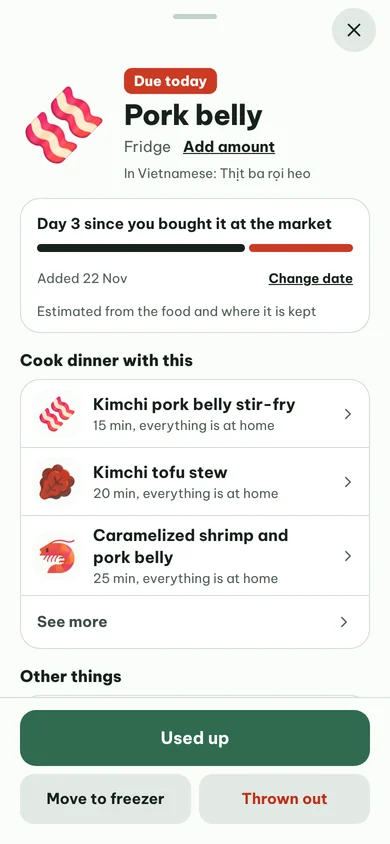
Tap an item to see how many days ago you bought it, when it is due and dinners that use it.


A note in the morning, only when something is due
At 7:30 in the morning, or the time you choose, it names what to eat today, what is due tomorrow and a dish for dinner that uses it. On days with nothing due, your phone stays quiet.
A dinner reminder with tonight’s meal can be turned on as well.
Morning reminder, 7:30
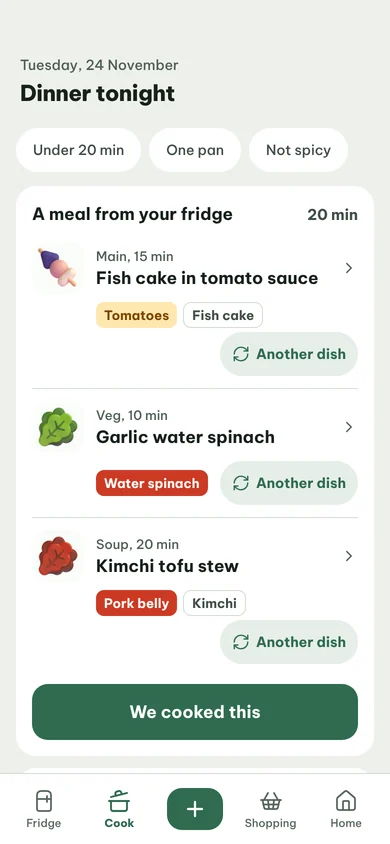
Tonight’s meal from what you have
Tủ Xanh puts together a main dish, a vegetable dish and a soup, using food close to its date first. Swap any dish for another, and each one comes with a recipe.
What is missing goes on the shopping list, and the list shows what is already at home so you don’t buy it twice.
One fridge for the whole family, each in their own language
Send your family a 6-character invite code. Whoever adds food or marks it eaten, everyone sees the same fridge and the same shopping list, up to 12 people in a household.
Each phone shows the app and the names of the food in its own language, so a Korean and a Vietnamese family member read the same fridge in Korean and in Vietnamese.
 Thịt ba rọi heoHôm nay
Vietnamese
- 삼겹살오늘
Korean
- Pork bellyToday
English
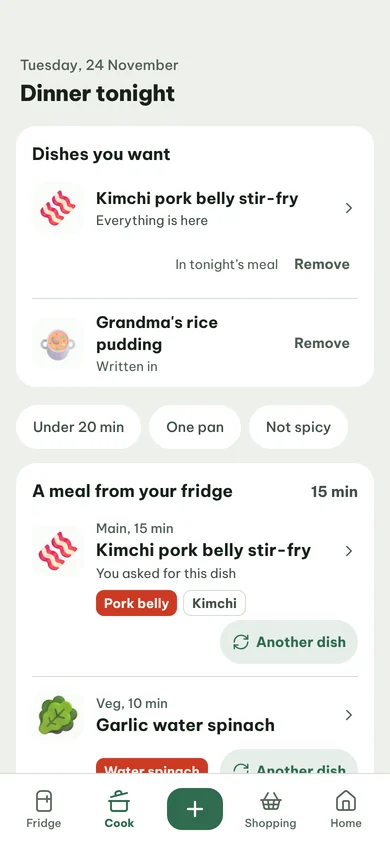
Ask for the dish you want
Anyone in the household can tap “I want this” on a recipe, or type a dish by name, up to 40 characters. The dinner tab lists the requests and says whether the fridge already has what each dish needs.
A request closes by itself when the dish is cooked and goes away after 14 days. Family members can get a notice when someone asks, and can turn it off.
How dates are worked out
Storage times come from the USDA FoodKeeper and Korea’s Ministry of Food and Drug Safety, and where they differ the app keeps the shorter one to suit markets and supermarkets in Vietnam; meat and seafood from the market get one day less. They are estimates: a date printed on the pack is used as it is, you can change any date, and food should always be checked before you eat it.
Questions people ask
Do I need an account?
No. Open the app and start. To keep your fridge when you change phones, you can link an Apple or Google account, but you don’t have to.
Where is my data kept?
Your fridge, shopping list and household are kept with Supabase in Singapore so your family can see them. Receipt photos and photos of pack dates are read on your phone and never uploaded. There are no ads. Privacy
What happens if I delete the app?
If you linked Apple or Google, install the app again, choose the same account and your fridge comes back. If you did not, you may not get it back on your own, though a fridge you share stays with your family. Removing the app does not delete your account; to delete it, use Home, Account, Delete account in the app first. Delete account / data
Which receipts can it read?
It reads receipts from Go!, Lotte and WinMart well. You can photograph others too; anything it does not recognise comes up for you to fix before it goes in the fridge.
Tủ Xanh
Help and policies
Sample fridge from the app. Food illustrations: Microsoft Fluent Emoji, MIT License; tofu, radish and kimchi drawn from its shapes.